Pick where the sound goes.
Output and Input buttons sit beside the notification area. Change Windows’ default speakers, headphones, or microphone in two clicks.
 BCR SOFTWARELLC
Find your next tool

Less digging through settings

Use Output, Input, and Volume Mixer from the taskbar while you work. The buttons sit on the taskbar with no box behind them. Hover over one, or click it, to open its menu. The strip tucks away during full-screen video and games.
Open the floating desktop panel whenever you want your devices and volume sliders in view. Hide or minimize it to clear your desktop and keep using the taskbar buttons. Use Show desktop HUD from the taskbar menu to bring it back.
One-time purchase in USD. Applicable tax shown at checkout.
Secure checkout through Stripe Managed Payments. BCR emails your download after payment.

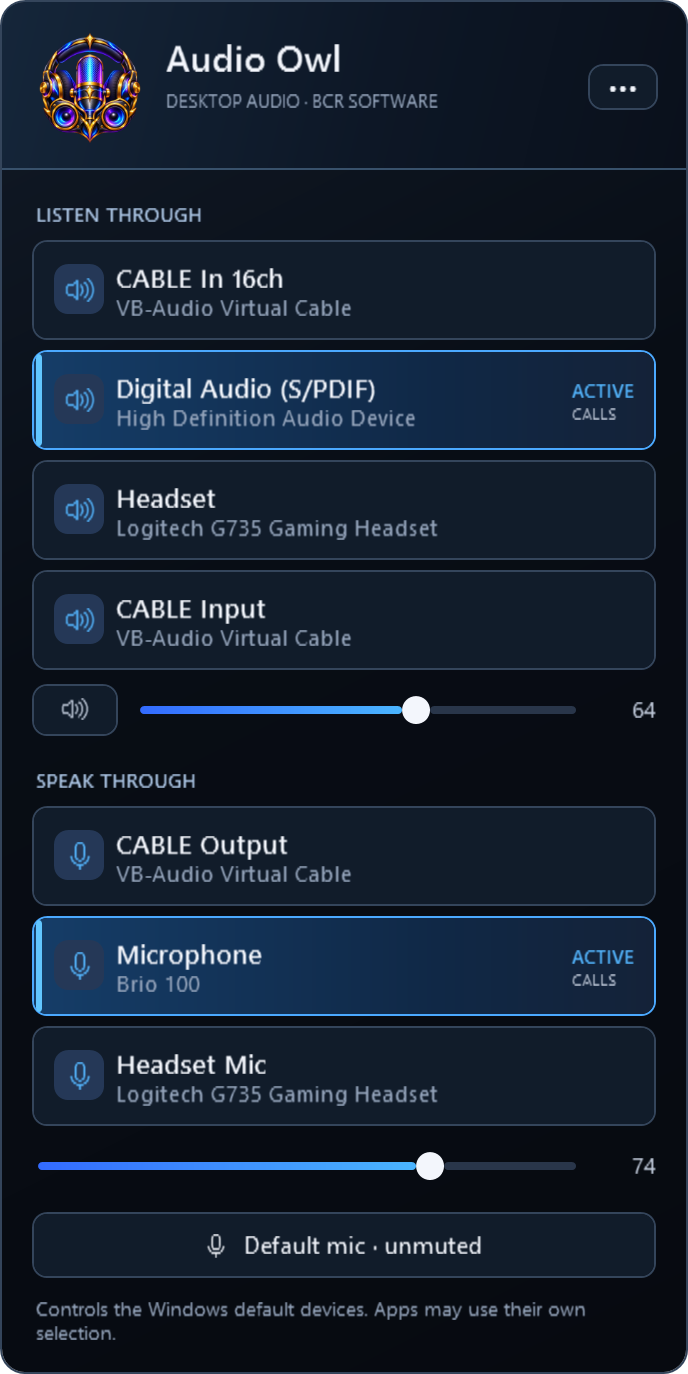
Output and Input buttons sit beside the notification area. Change Windows’ default speakers, headphones, or microphone in two clicks.
Open the Mixer to set the volume of individual apps playing through your current output. Rename or hide devices, keep a remembered volume for each, and choose whether Audio Owl starts with Windows.
Choose from fourteen taskbar skins or match your Windows colors. The controls shrink to icons on a crowded taskbar and hide behind full-screen apps. The desktop panel, with keyboard controls, is a right-click away.
Before you buy
Audio Owl 1.1.4 is intended for Windows 11 x64. Compatibility depends on your PC, audio devices, drivers, and apps.
Personal or business use on your own PC. No subscription, account, or activation key required.
Buy Audio OwlApplicable tax is shown at checkout. All sales are final. We do not offer refunds, including for change of mind or compatibility issues — check the requirements before you buy. This does not limit refunds issued by Link under its own buyer policy or rights required by law.
Something not working?